Counter-Strike 2 server hosting
Your next match.
Your own server.
Host Counter-Strike 2 matches for your team or community. Manage the server from your browser, with files and backups close at hand.
Loading available packages…
Choose a size. Know the ceiling. Run less, pay less.
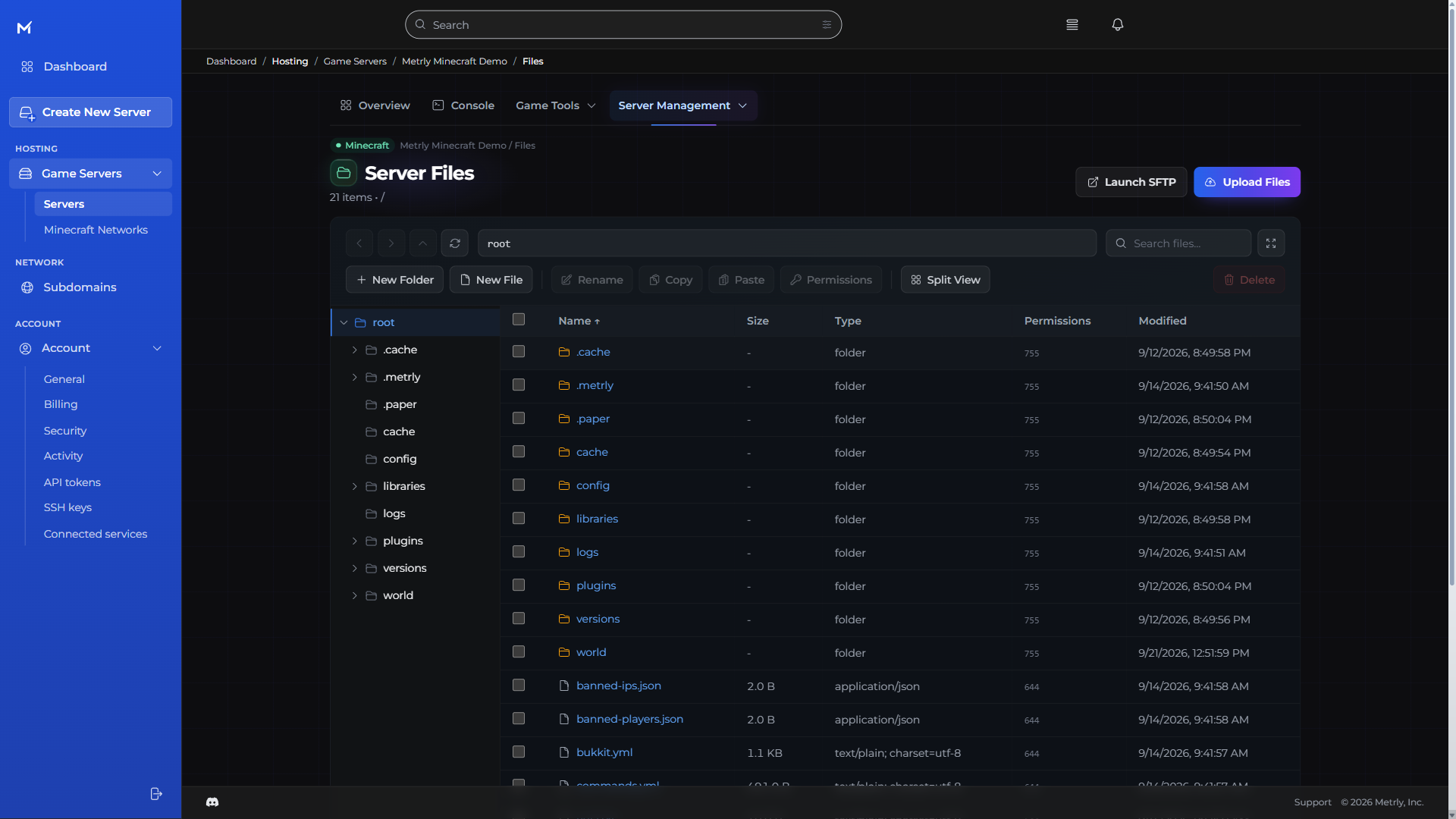
- Find your files
- Make your changes
- Keep it all together
Find your fit · Counter-Strike 2
Your server. Your price.
One full-featured console. Every size.
Finding your server sizes…
Checking available sizes and current prices.
One console. Everyday control.
- Live console
- Browser file manager
- Backups & schedules
- Team permissions
The Metrly console · every game
More time for your world.
Less work behind it.
The everyday tools belong together. So you can make a change, bring in a friend, and get back to what you started.
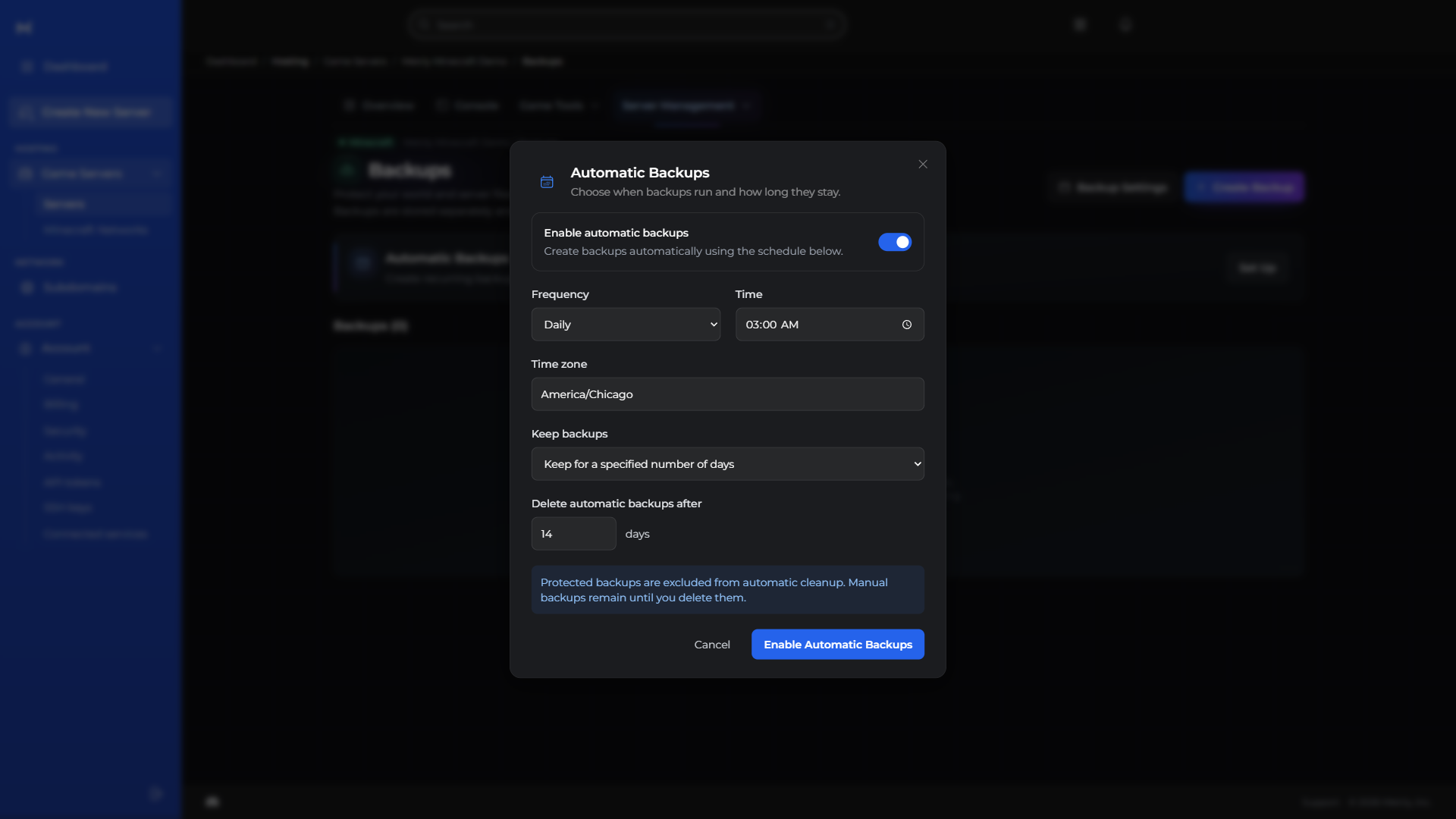
- Choose a schedule
- Keep your backups
- Restore when needed
Live console & power controls
Read server output, send commands, and start, stop, or restart your server in the browser.
Files & SFTP
Browse and upload files in the console, or connect with your preferred SFTP client.
Make changes. Keep a way back.
Protect your progress with backups, and put routine restarts and commands on a schedule.
Team permissions & activity
Give teammates selected permissions and review recorded server activity without sharing your account login.
Subdomains, ports & addresses
Manage a memorable server subdomain and find your assigned connection addresses and ports together.
Know your server at a glance.
Follow performance, resource use, and estimated costs without juggling dashboards.
Keep your projects together.
Manage the databases behind your server and plugins in the same workspace.
Follow your community.
Explore available regions and move your server from your console.
Explore the rest of your console
See what your server is doing.
CPU, memory, storage, and network history together, with health checks to help investigate lag.
Your files, right in the browser.
Upload, organize, rename, and copy files. Open SFTP when you prefer a desktop client.
Choose when backups run—and how long they stay.
Try something new without losing your way back. Keep a backup ready for your next big change.
Put routine tasks on a schedule.
Backups, restarts, and routine tasks. Set the rhythm once and leave the busywork to your server.
Share the work, not your login.
Choose a role or individual permissions for each teammate before sending an invitation.
Keep your usage costs in view.
Keep an eye on spending without a spreadsheet. See your usage and projected costs together.
Give your server a memorable address.
Choose a server subdomain from the available domains in your console.
Move regions from the same workspace.
Your community can change. Your server can move with it. Find an available region right in the console.
Before you deploy
Counter-Strike 2
hosting questions.
Does Metrly support Counter-Strike 2?
Yes. Counter-Strike 2 is listed as a deployable template in the current Metrly service catalog.
How is Counter-Strike 2 priced?
Choose a compatible Counter-Strike 2 package with a monthly cap and an inclusive minimum. Running less can lower your bill while your world stays ready.
Do I need to choose a hosting plan?
Yes. Choose the server capacity your world needs, with a clear monthly cap and included resources. You can save by running less; the inclusive monthly minimum keeps your world and backups ready.
Counter-Strike 2 on Metrly